


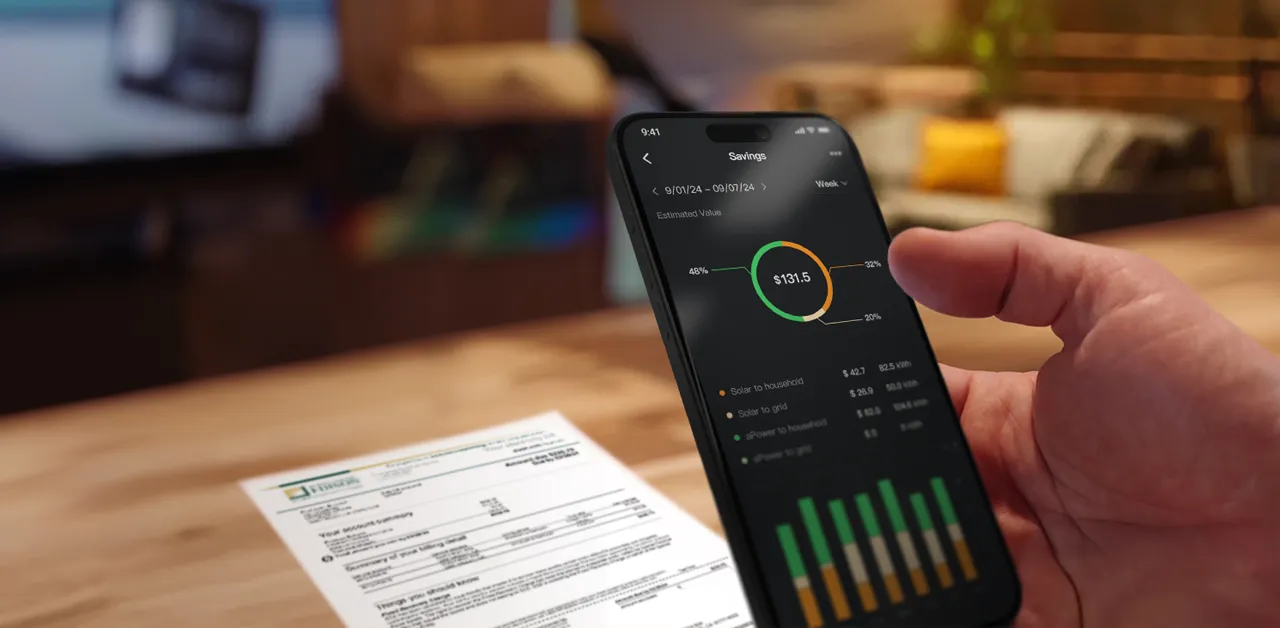
The FranklinWH App puts complete control of your home energy system right at your fingertips. From clear, vivid energy monitoring to intelligent management, everything you need is just a tap away.
This article walks you through the key features of the app, explaining how each works and helps you get the most value from your FranklinWH System.
Energy Monitoring and Analysis
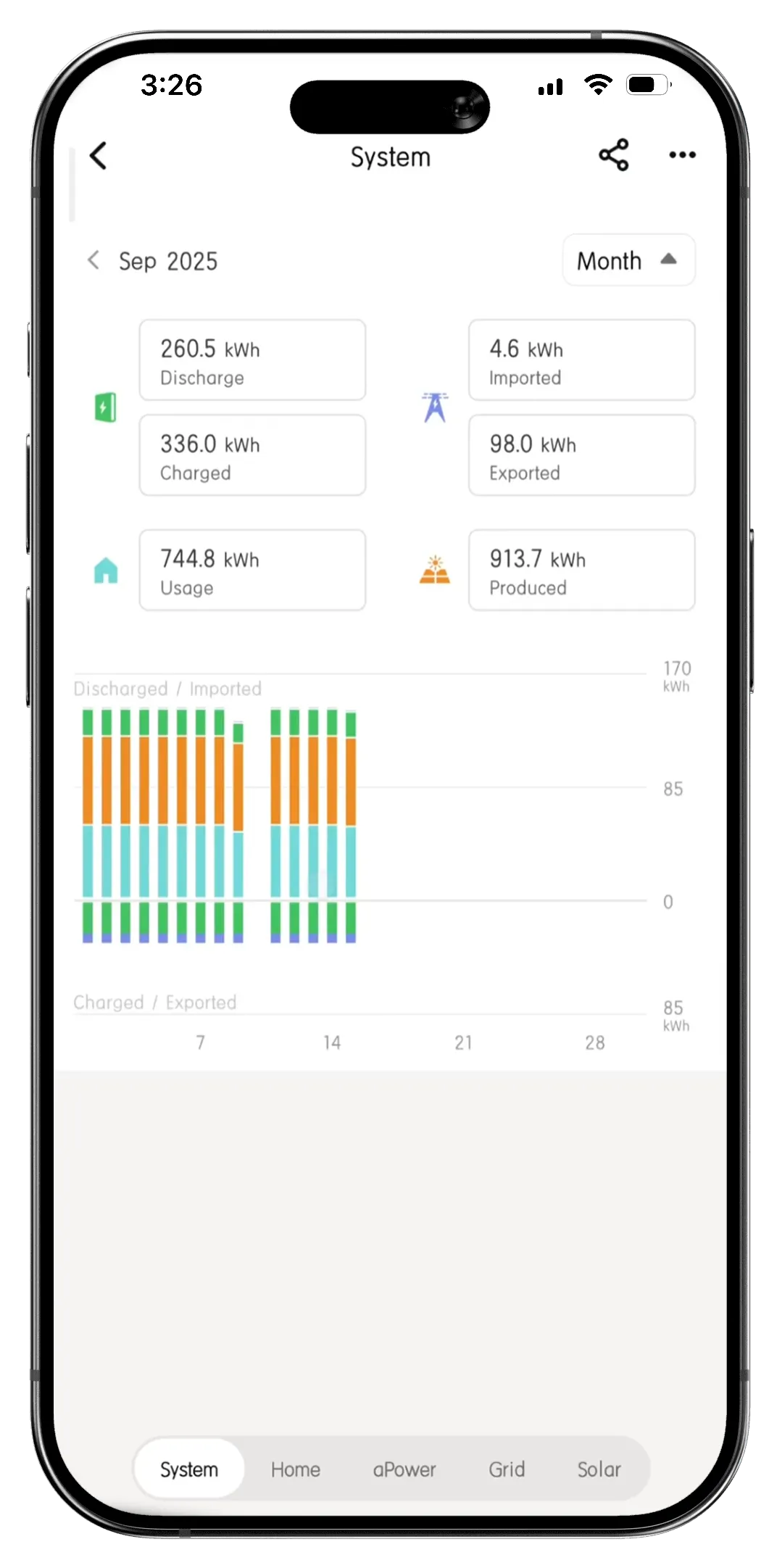
The FranklinWH App gives you a clear, visual window into your home’s energy system, turning complex energy data into insights. You can see clearly how much energy your home is producing, consuming, storing, exporting, and saving, all through intuitive charts, color-coded icons, and detailed breakdowns.
Energy Production, Consumption, Storage, and Grid Interaction
The Analysis page organizes comprehensive home energy data to help you gain deep insights: Home, aPower, Grid, and Solar, with an additional System view for an overall summary.
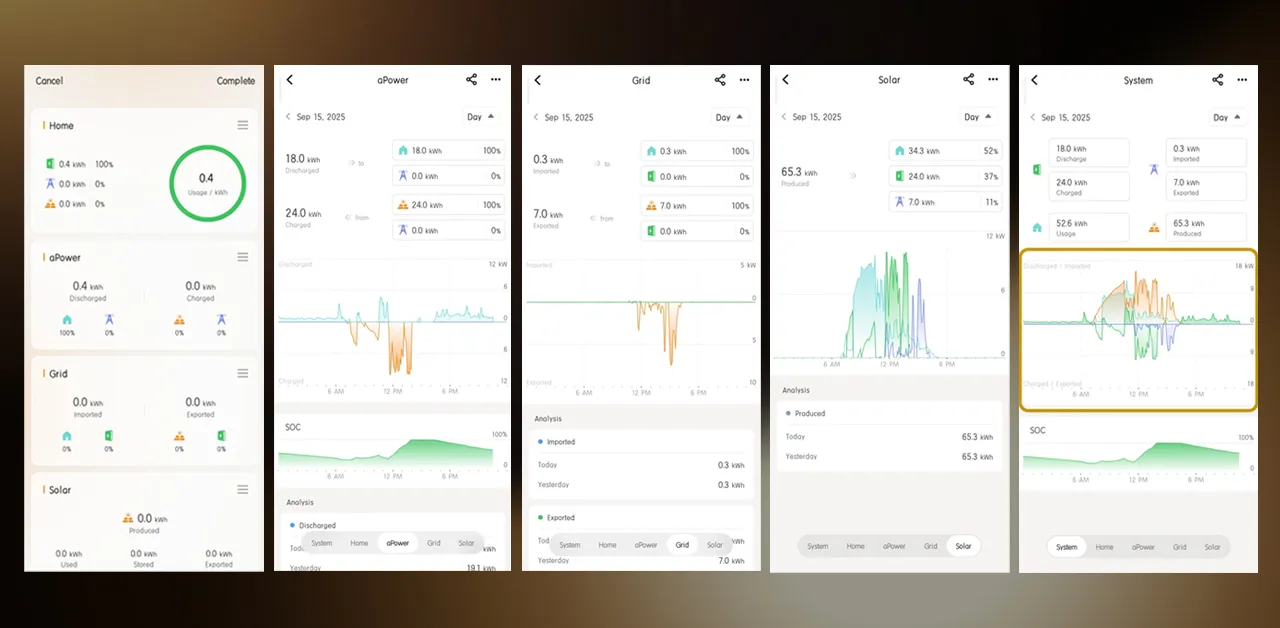
To help you spot patterns and trends, you can view all of this data by day, week, month, year, making it easy to understand how your energy usage and production change over time.
Energy Cost Savings and Environmental Impact
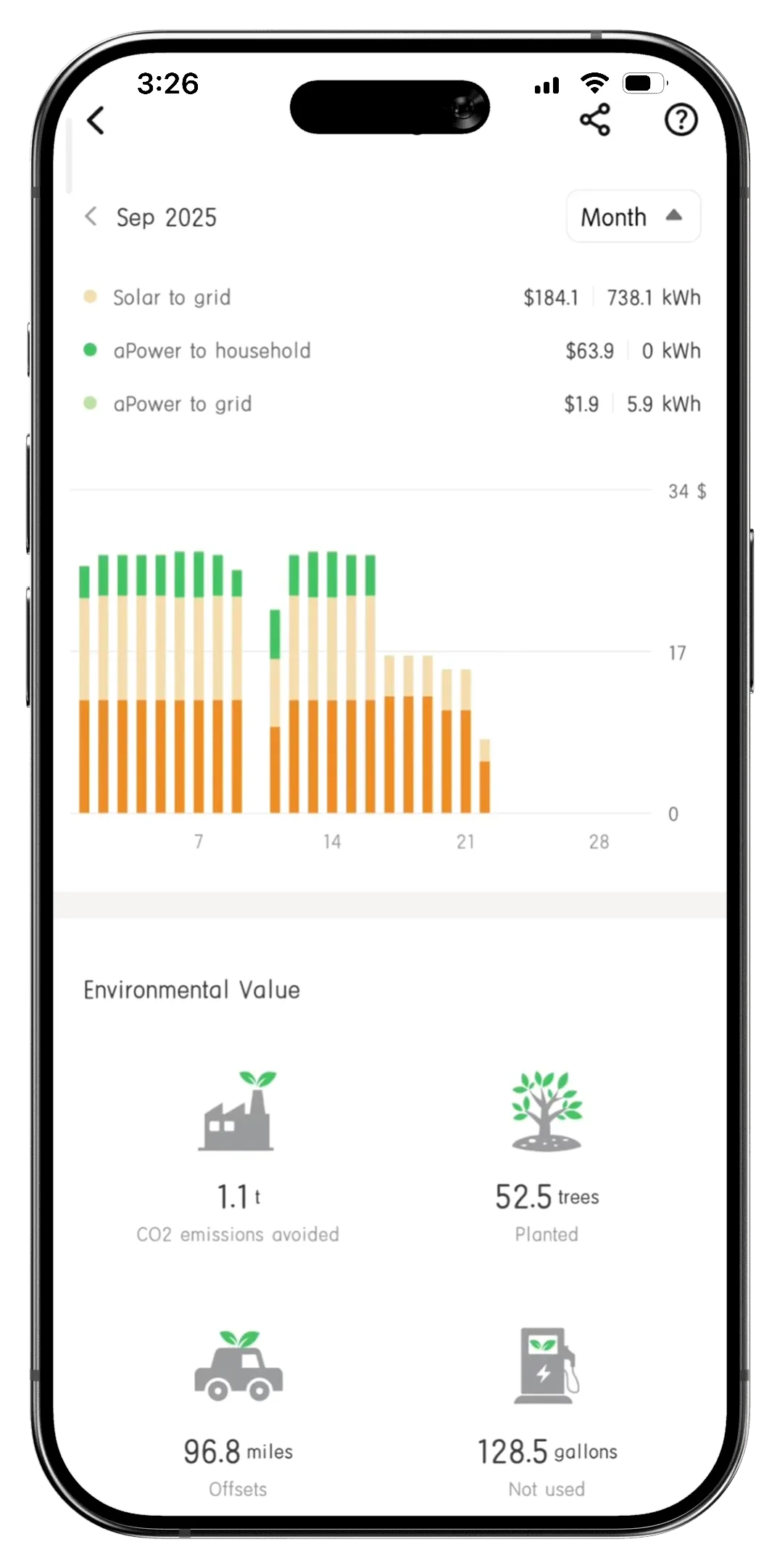
The app also helps quantify the value of your system. You can review estimated energy cost savings over a selected period: daily, weekly, monthly, or yearly.
Beyond cost savings, the FranklinWH App highlights your environmental contribution, presenting it in four easy-to-understand benefits.
Versatile Power Modes That Optimize Energy Efficiency
The FranklinWH System offers several intelligent operating modes, so you can customize how your home uses energy based on your lifestyle, priorities, and electricity plan.
- TOU Mode: Lower your electricity costs by automatically charging and discharging your aPower batteries based on how electricity prices vary throughout the day. Use TOU mode if you want to take advantage of time-based price differences, and your utility provider offers a TOU tariff plan.
- Self-Consumption Mode: Make the most of your solar power. During the day, your aPower batteries charge using excess solar energy. When the sun isn’t shining, the stored energy is used to power your home. Use self-consumption mode if your solar system produces more energy than your household typically consumes during the day, and your electricity tariff is not volatile.
- The Emergency Backup Mode: Maximizes energy security by keeping your aPower batteries fully charged for unexpected outages. This mode is recommended if your area frequently experiences grid outages, extreme weather events, and natural disasters.
Tariff Setting through Paper Scan
If you don’t want to manually configure your tariff under TOU Mode, use image recognition to upload your paper utility bill, and the app will automatically set up your tariff plan.
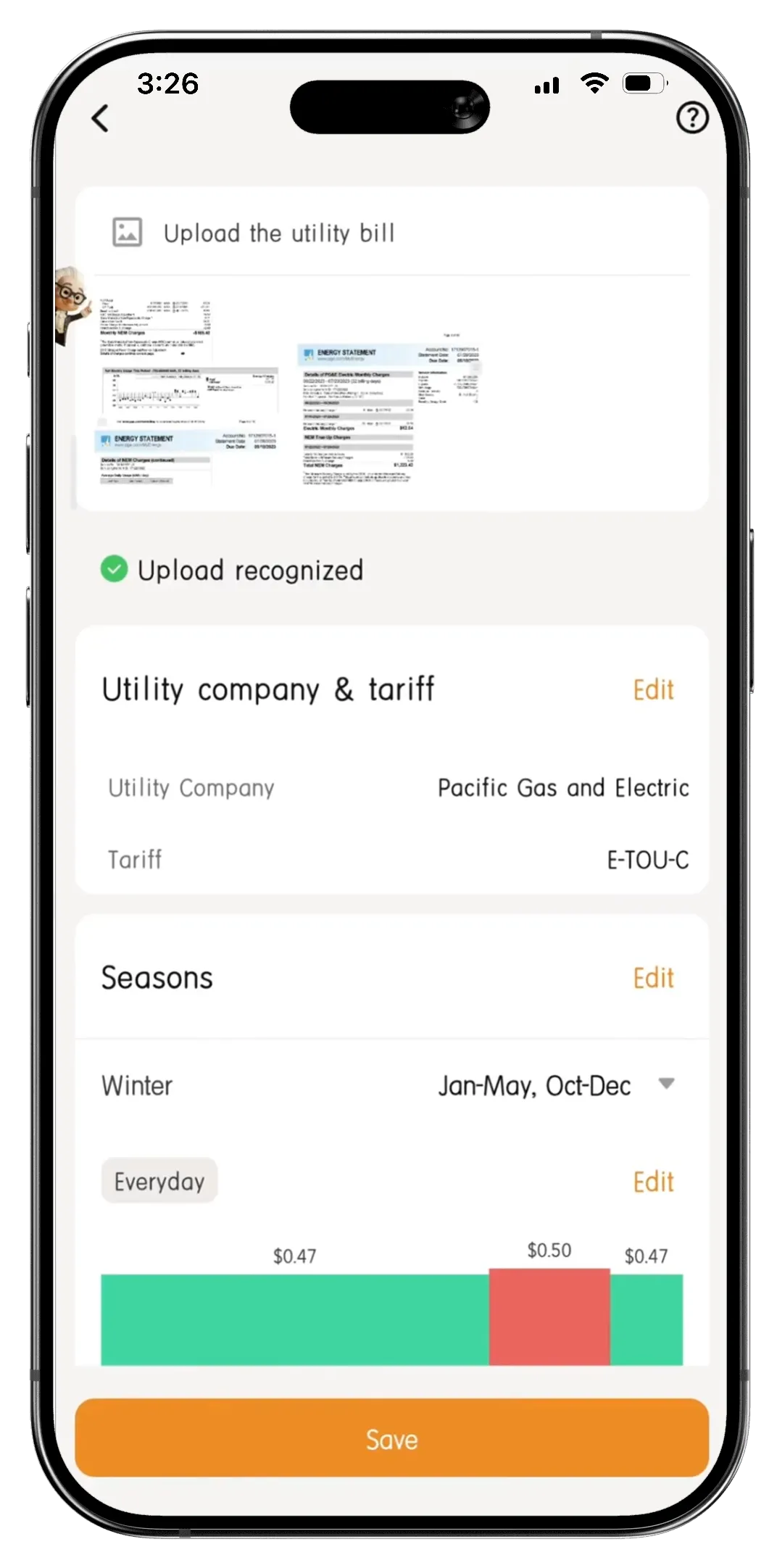
Optional Schedules under TOU Mode
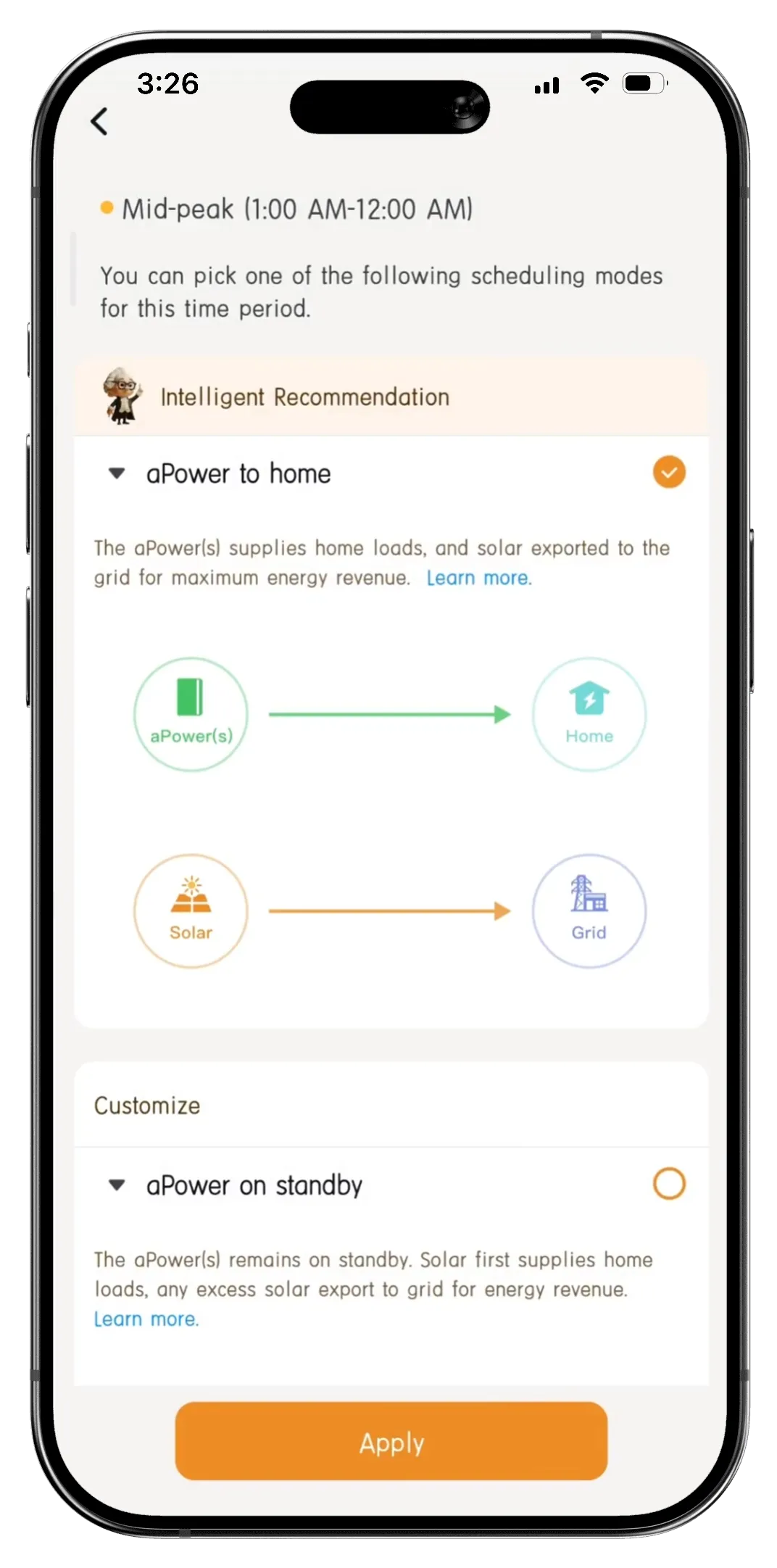
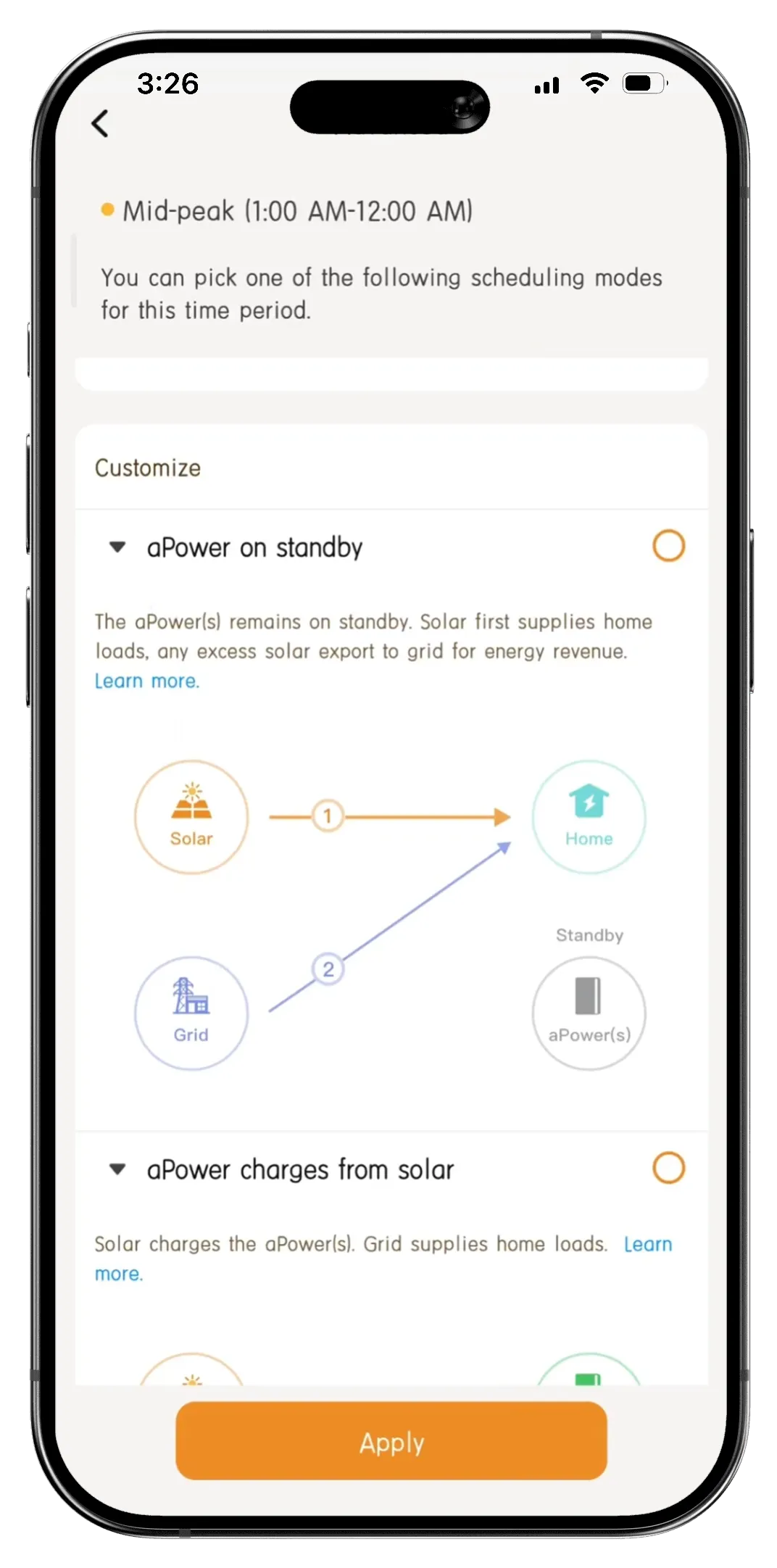
While the FranklinWH System offers recommended schedules under TOU mode, there is also the flexibility to adjust the schedule that better fits your needs and maximizes financial benefits.
For example, during mid-peak under TOU mode, the system recommends the schedule where the aPower battery powers the home and solar exports to the grid. You can edit and shift it to an alternative where solar and grid power the home, while the battery remains standby for on-peak use, which may better align with your needs.
Storm Hedge: Convenient Outage Preparation
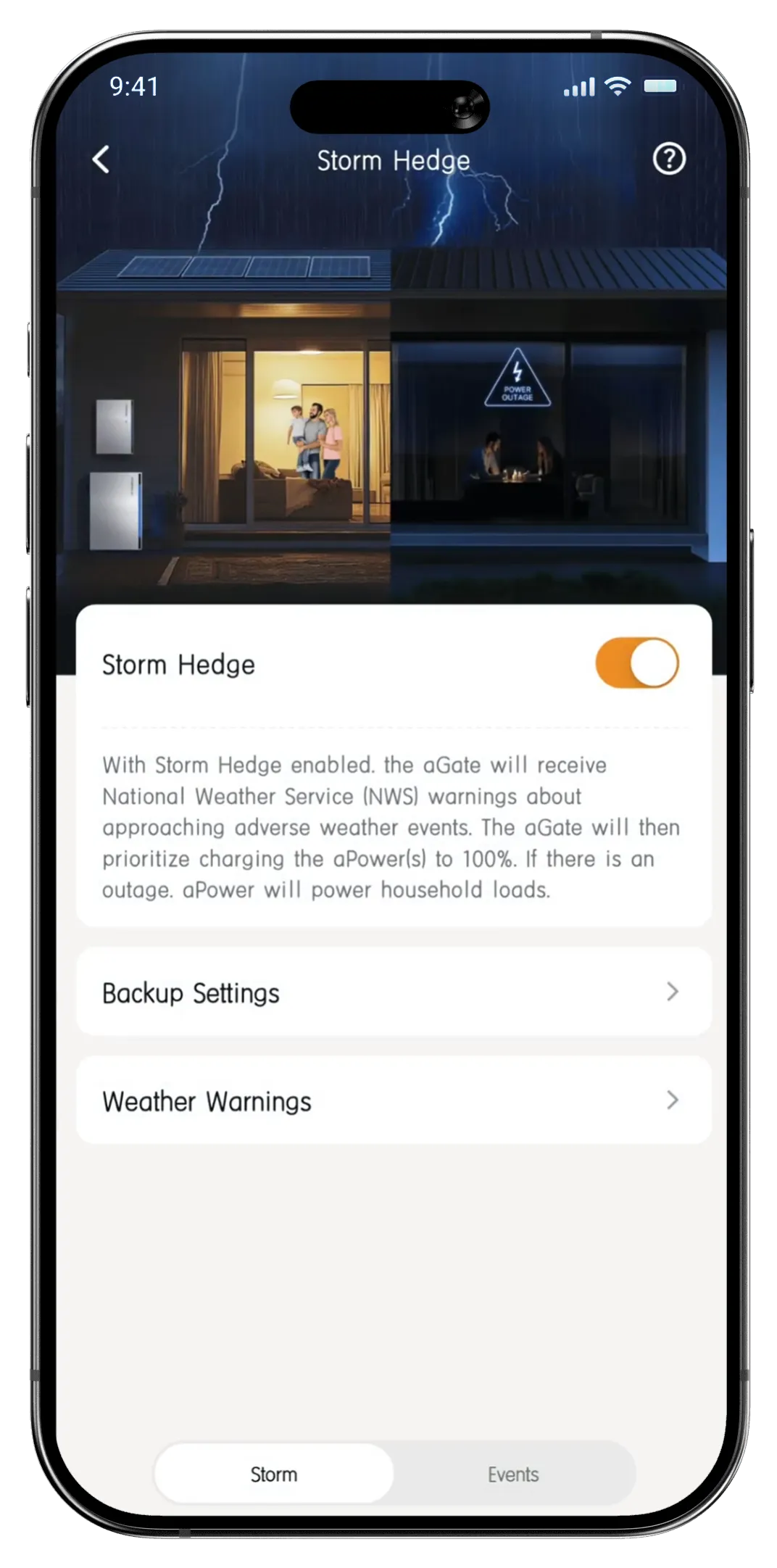
Storm Hedge is designed to take stress out of outage preparation by automatically making sure your aPower batteries are charged and ready when bad weather is on the way.
When the National Weather Service issues a severe weather warning in your area, the FranklinWH App sends you a notification. At the same time, your system automatically switches to Emergency Backup mode and begins charging your batteries to 100%, ensuring you have the maximum backup reserve before a storm strikes.
Customized Settings
There are also many customized settings in the FranklinWH App’s repertoire to help you personalize how your FranklinWH System looks and behaves, so it works exactly the way you want.
- Smart Circuits control: Work with the Smart Circuits module to manage individual home circuits, giving you precise control over specific appliances.
- Go off-grid: An option to disconnect your home from the local grid to simulate a real outage. Your solar power supplies your home first, and any excess energy charges your FranklinWH System, helping you experience how your system performs during an actual blackout.
- Virtual Power Plant (VPP) enrolment: For qualifying homeowners, if a VPP program is available in your utility territory, simply select the VPP program under the Settings tab and enroll through the app to earn rewards while supporting your local grid.
- Backup Reserve: Set a state of charge (SOC) limit to ensure your battery has sufficient energy to take over when an unexpected outage occurs.
- aPower LED: Personalize the LED light strip on your aPower by adjusting colors and brightness, so your energy system looks as good as it performs.
Designed for Enhanced User Experience
The FranklinWH App is built to deliver a smooth and future-ready experience, so your FranklinWH System stays simple to use today and ready for what comes next.
- Future-Proof compatibility: The app works seamlessly with all versions of aGate and aPower, ensuring long-term usability as your system evolves or expands.
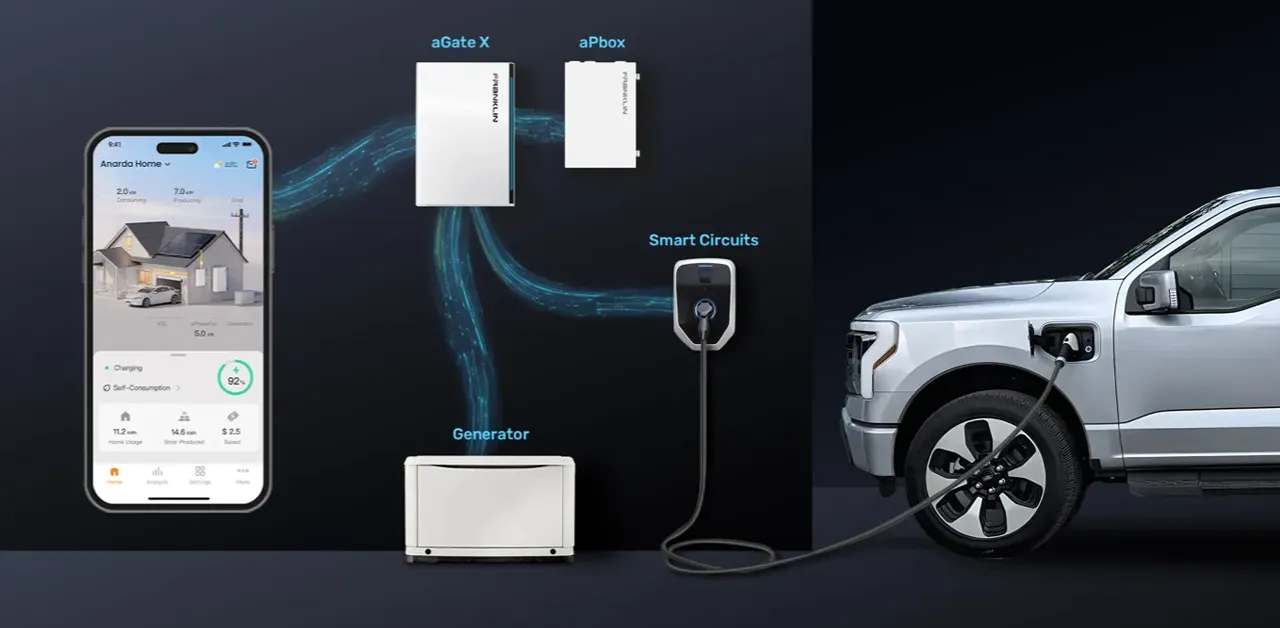
- Universal fit & unified control: Fully compatible with all FranklinWH devices and accessories, the app gathers everything in one place. You can manage generators and V2L alongside solar, battery and grid through a single, consolidated platform, making system-wide control simple and intuitive.
- Smart assistant: Get real-time guidance and troubleshooting help directly in the app.
- Voice-activated commands: Control and monitor your energy system using speech.
Conclusion
With the FranklinWH App, you can take full control of your FranklinWH System anytime and anywhere. Energy management has never been easier, with one-click access to your energy dashboard for essential insights such as energy status and savings. Designed with an intuitive, user-friendly interface, the app allows you to spend less time managing and more time enjoying.
