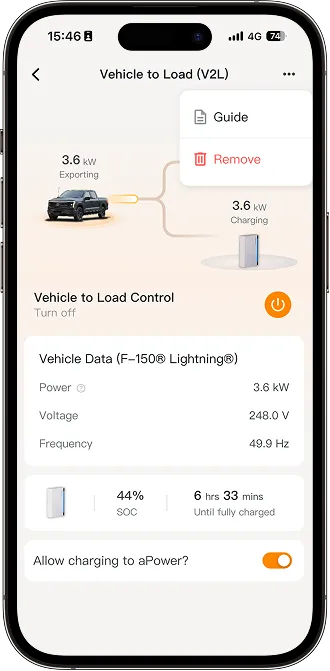
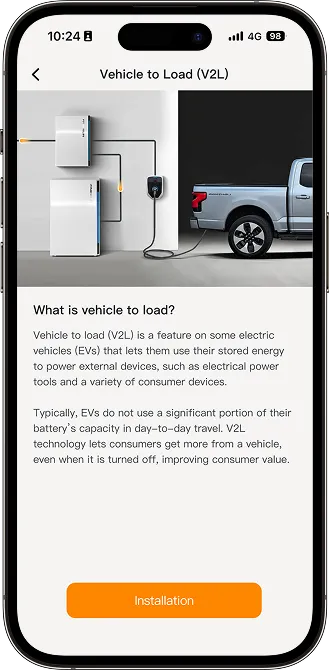
Vehicle to load (V2L) is a feature on some electric vehicles (EVs) that lets them use their stored energy to power external devices, such as electrical power tools and a variety of consumer devices.
How to Set Up
- On your energy home screen, tap Settings > Vehicle to load > Installation for V2L configuration.
- Select your vehicle type from the options provided, then tap Next.
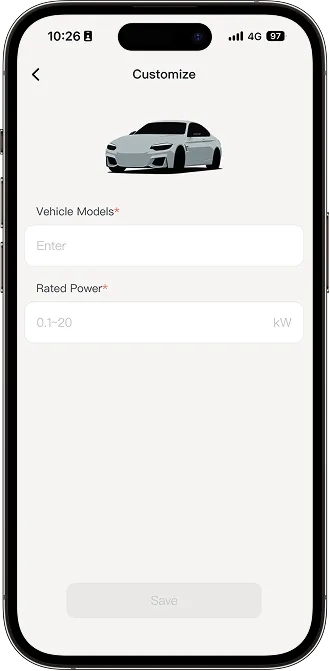
If your vehicle type isn't listed, tap Customized vehicle to enter your vehicle model and rated power.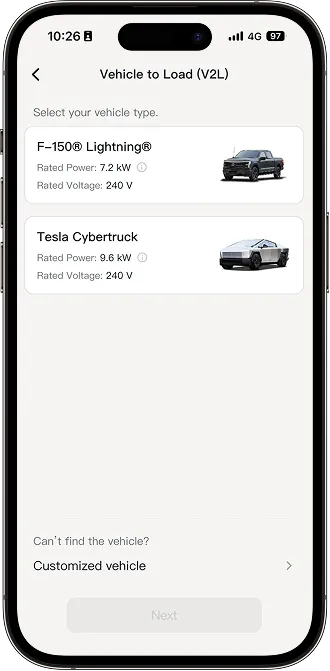
-
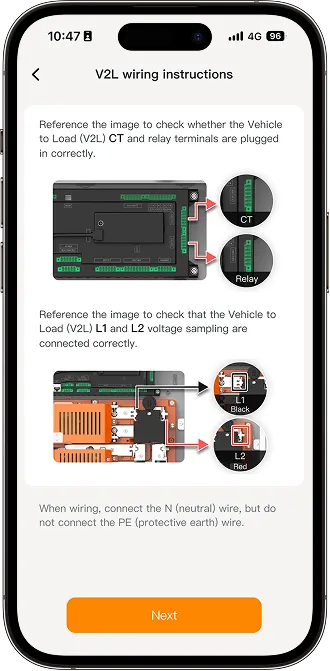
After reading the V2L wiring instructions, tap Next.
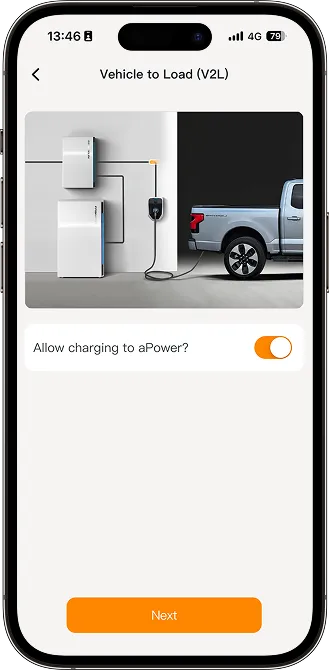
- Enable the charging slider if you allow the vehicle to charge the aPower. Then tap Next.
-
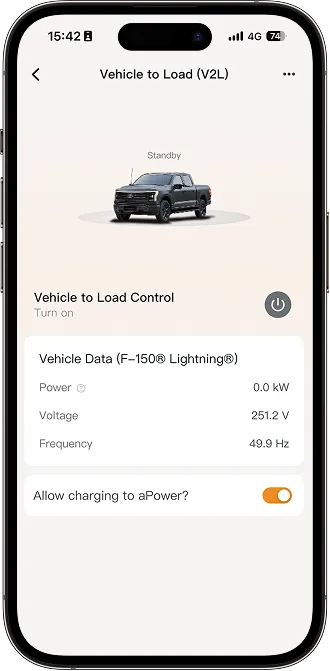
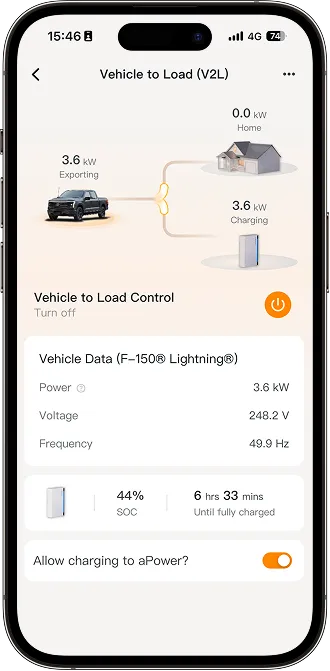
Tap the button next to Vehicle to Load Control to turn the V2L feature on or off.
On the dashboard, you can also view the current vehicle power, voltage, and frequency.
When the vehicle is charging the aPower, the aPower's SOC and estimated time to full charge will be displayed.
If you need to change the vehicle connected to the system, stop the V2L feature by tapping the button next to the Vehicle to Load Control text, then tap the three dots in the top right, select Remove, and add a new vehicle.