The FranklinWH system can use the Smart Circuits Module to provide homeowners with direct control of three unique circuits. The Smart Circuits Module is an optional component of the aGate.
How It Works
Homeowners can configure the power supply plan for the three Smart Circuits to automatically start/stop based on battery reserve, thus shed large power loads connected on Smart Circuits to conserve more energy in grid outages. The circuits may also be manually controlled as needed.
How to Configure It
-
On your energy home screen, tap Settings > Smart Circuits. The bar at the bottom of the Smart Circuits page contains three icons: Circuits, Scene, and Events. Tap the icon for the component you want to view to access its details.
-
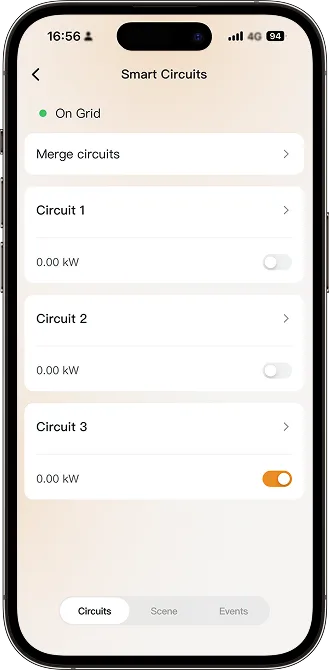
The Circuits tab displays all Smart Circuits by default.
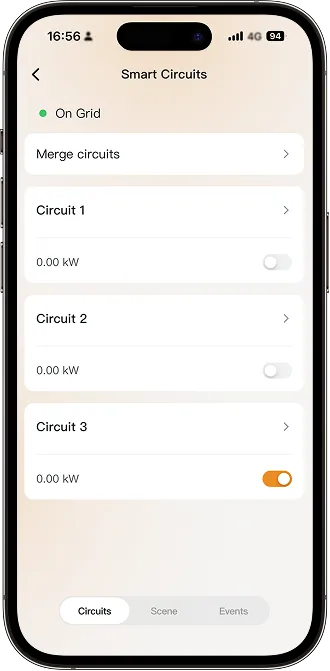 Merge circuits: If Smart Circuit 1 and Smart Circuit 2 share the same 2-pole switch, select the appropriate option to merge them, and then tap Confirm.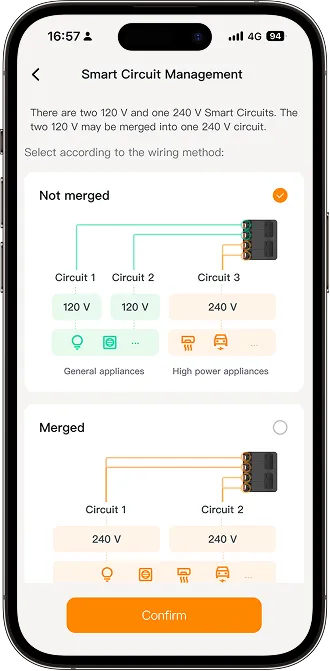
Note: Circuits must remain in agreement with the physical electrical wiring.
Customize settings for the circuits
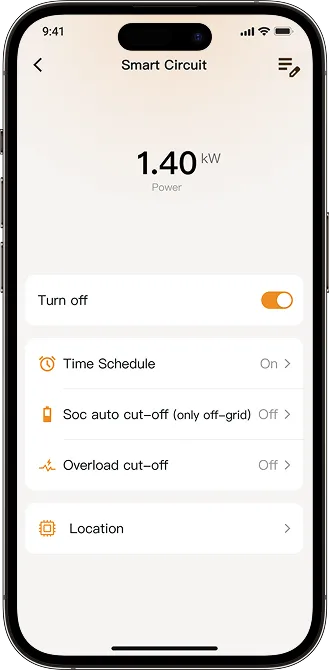
Turn on/off: Tap the slider to manually turn the circuit on or off.
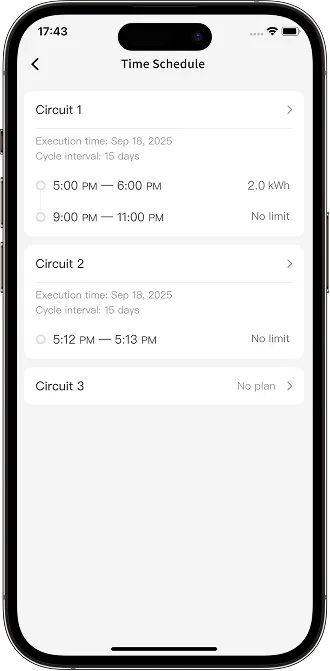
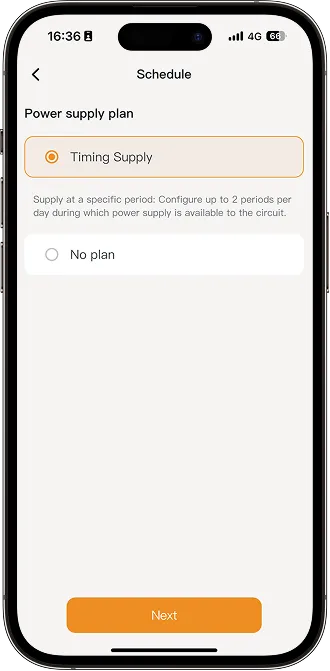
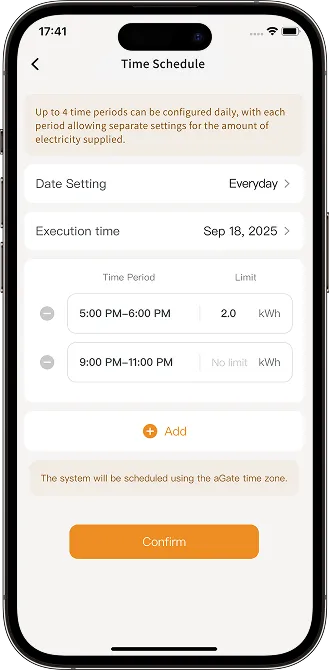
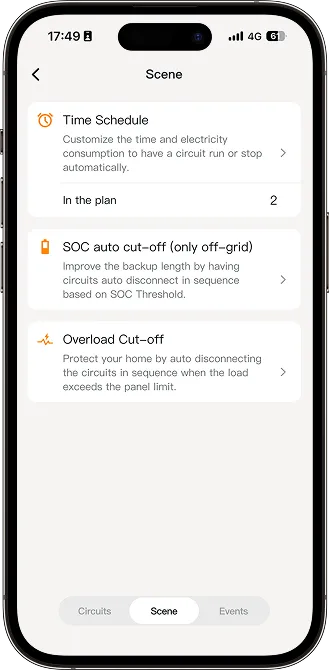
Time Schedule: Customize the time period or electricity consumption to automatically turn the circuit on or off.
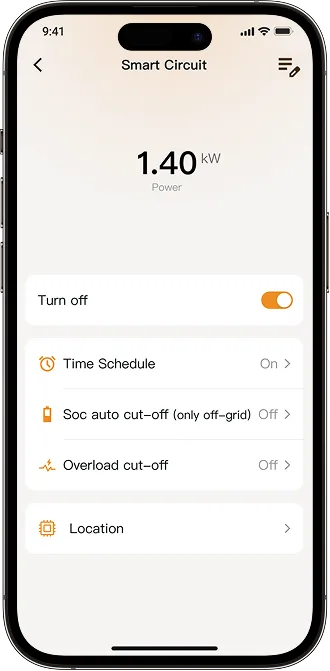
You can set the cycle interval and execution time, allowing the system to work intelligently and meet the customer's power consumption requirements.
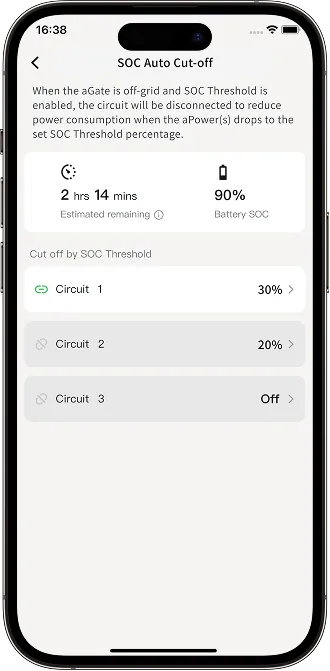
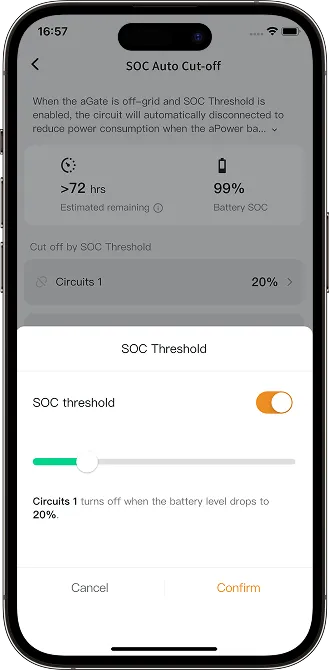
SOC Auto Cut-off (only off-grid): Extend backup hours by automatically disconnecting circuits in sequence based on battery SOC during a grid outage.
When the aPower battery capacity drops to the set SOC Threshold, each Smart Circuit will be automatically disconnected to reduce power consumption.
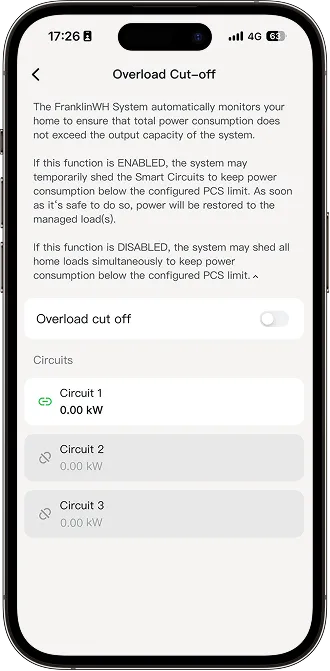
Overload Cut-off: If the load exceeds the main panel's capacity, the system will automatically disconnect circuits to prevent overload damage.
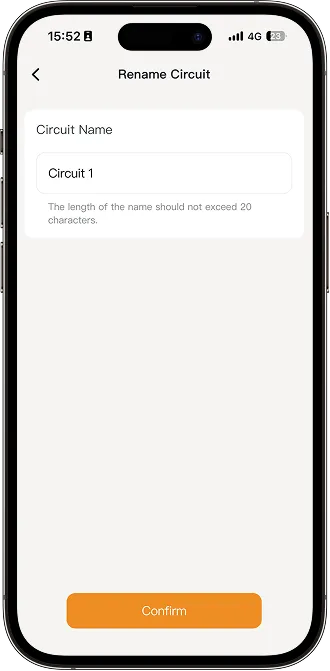
Name: Tap the Edit button on the top right, then tap Name to rename the circuit. Each circuit name may be up to 20 characters.
-
Tap the Scene tab to view the full list of available scenes. You can also set the Time Schedule, SOC Auto Cut-off (only off-grid), and Overload Cut-off scenes for the circuit.
-
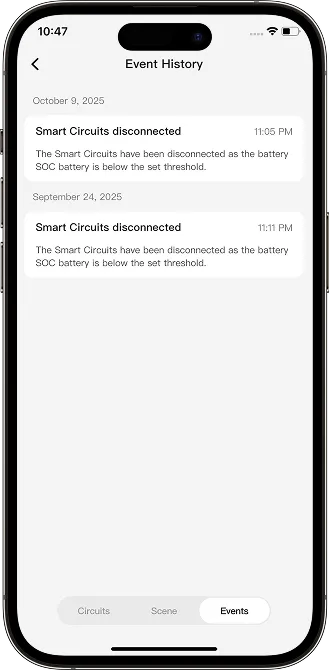
Tap the Event tab to view the circuit disconnected event logs.